Skip to product information
1 of 7

Business Cards for with QR Code

Business Cards for with QR Code

Product Key Features:

  • Available in various thicknesses and finishes for enhanced feel and durability
  • Gloss and matte finish options for vibrant or classic designs
  • High-quality print for detailed, professional appearance
Rush Delivery Best Value Free Design
Replacement Guarantee
any Print/Hwd Issue
Delivery Guarantee
Delivery Guarantee
before your Event
Free Designing and Proofing
Free Designing & Proofing
before Production
Trusted by Exhibitors
Trusted by 250+ exhibitors
across USA

Design Assistance with Every Order Badge

Need help, a custom request, or a specific budget in mind? Email us, we’ll go above and beyond to make it work for you. hello@printdrill.com

View full details
Our Products in Action.
Kudos to our amazing Customers 💙

Business Cards with QR Code - Digital-Integrated Cards for Tech-Savvy Networking

Professional business cards printed for real-world use, now optimized for QR code contact sharing. Ideal for entrepreneurs, creatives, and service providers who want scan-to-save cards that link directly to a vCard, Linktree, portfolio, or booking page. These QR code contact cards combine tactile branding with seamless digital connection—helping you convert in-person conversations into lasting contacts with minimal friction.

Looking for general-purpose Business Card?

If you’re evaluating options, it’s worth exploring our standard version of the Custom Business Card here. View our main Business Cards page here.

Page title
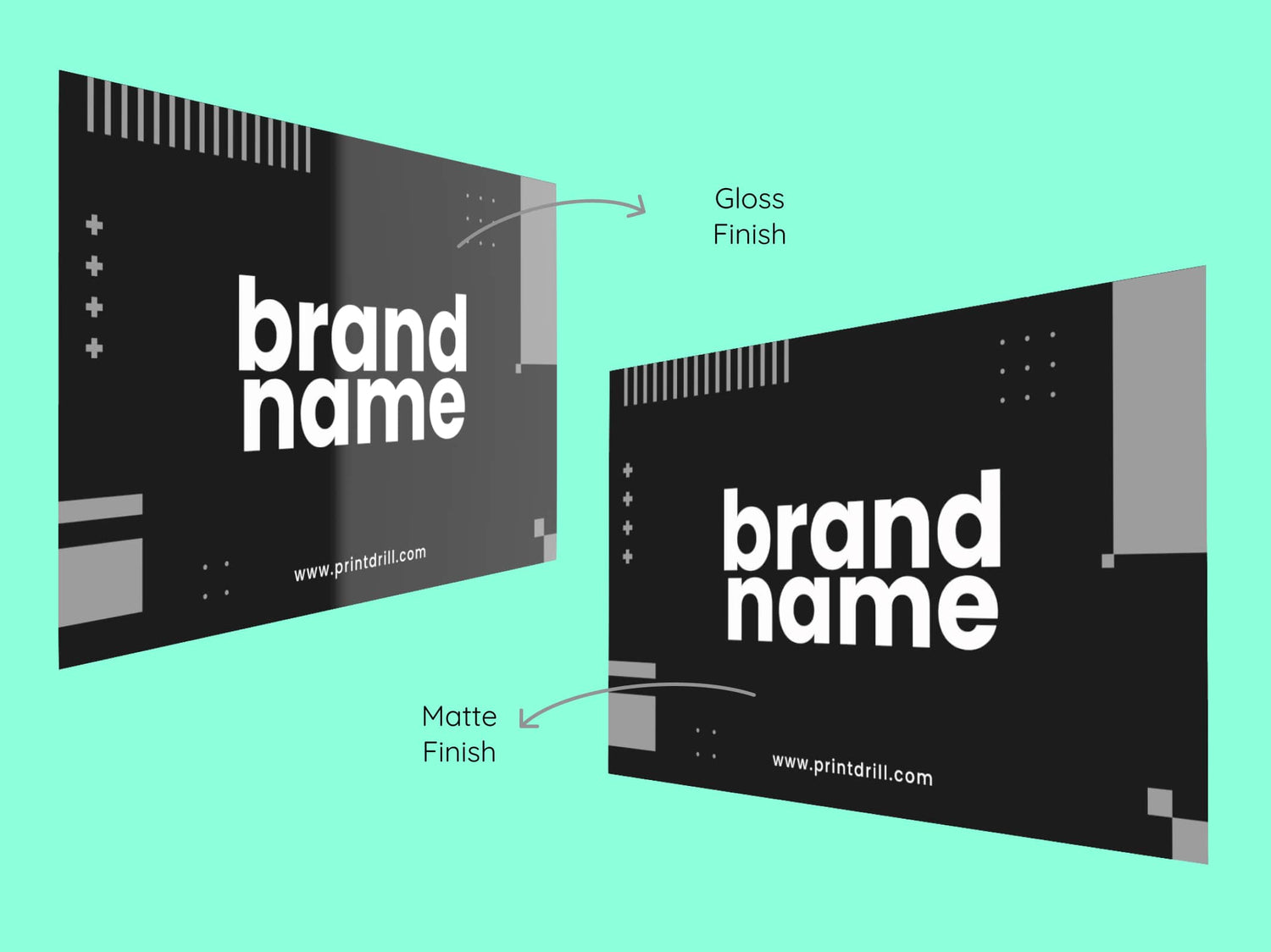
Gloss Finish Visiting Cards Vs Matte Finish Visiting Cards

Gloss Finish Vs Matte Finish

Color Vibrancy

  • Gloss: Enhances color vibrancy, perfect for photo-heavy designs.
  • Matte: Colors are softer and slightly muted, offering a subtle look.

Durability

  • Gloss: Highly durable, resistant to bending, folding, and moisture.
  • Matte: Less durable, more prone to bending and damage.

* Durability depends on the thickness (pt) of the card.

Readability

  • Gloss: Can cause glare under certain lighting, affecting readability.
  • Matte: Non-reflective surface ensures easy readability in all lighting.

Professional Look

  • Gloss: Shiny and eye-catching, but can be perceived as flashy.
  • Matte: Clean, modern, and professional look, ideal for formal use.

Fingerprint Visibility

  • Gloss: Prone to showing fingerprints and smudges.
  • Matte: Resistant to fingerprints and smudges.

Writing Surface

  • Gloss: Difficult to write on due to the smooth, coated surface.
  • Matte: Easy to write on with a pen or marker.

Protection

  • Gloss: Offers better protection from moisture and wear.
  • Matte: Colors may fade slightly over time, depending on the material quality.
Business Card Paper Thickness

Choosing the Right Paper Thickness for Your Business Cards
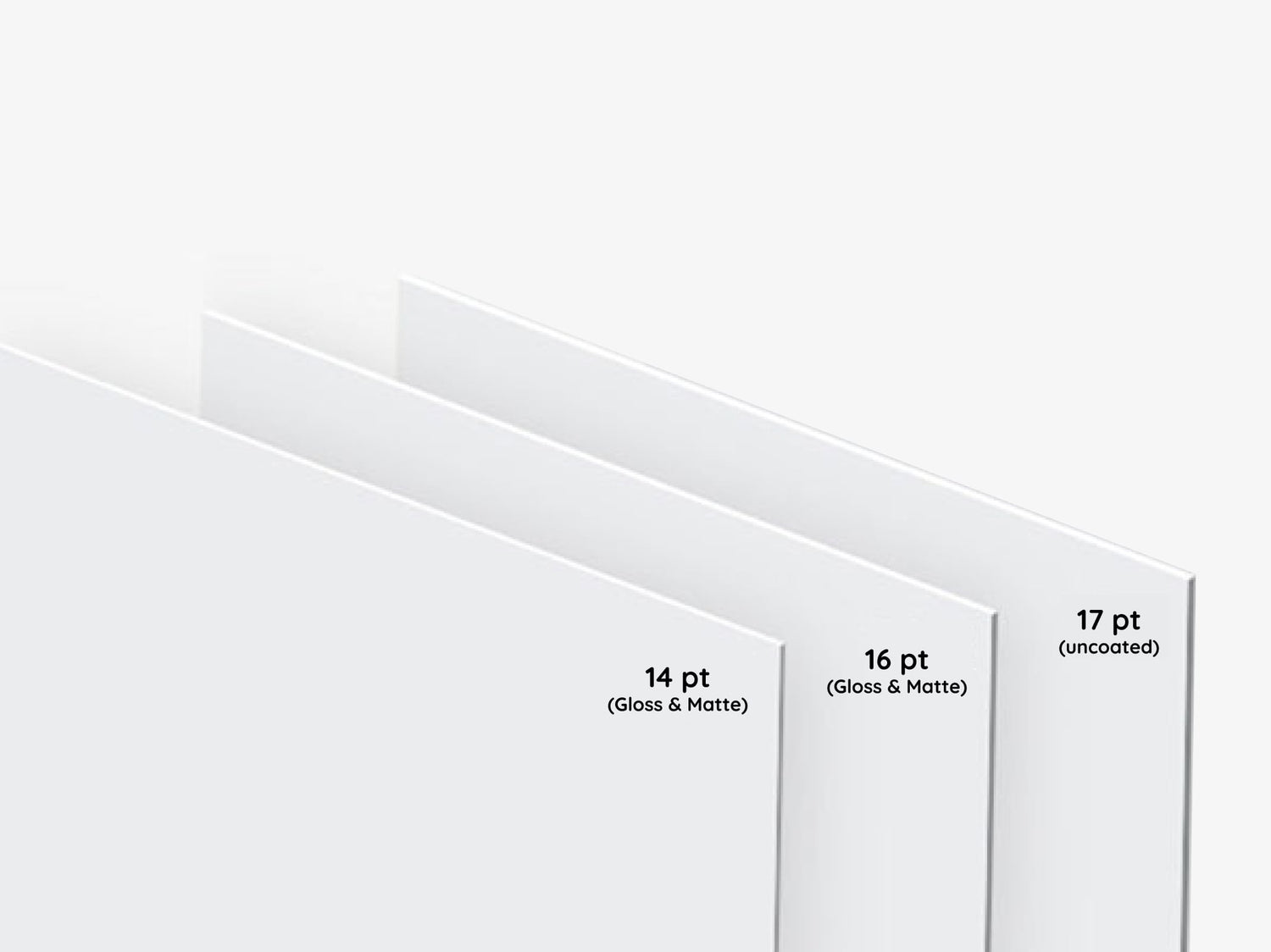
14 pt Paper

  • Popular standard for business cards
  • Thinner and more flexible than 16 pt
  • Rigid enough to avoid bending or flopping
  • Affordable and great for mass distribution
  • Ideal for handing out large quantities at events

16 pt Paper

  • Slightly thicker and heavier than 14 pt
  • More durable, sturdy feel
  • Premium and substantial impression
  • Great for high-level meetings and impressing clients
  • Less likely to bend or crease

Uncoated 17 pt Paper

  • Heaviest of the three, with a luxurious feel
  • Uncoated surface, ideal for writing
  • Tactile, natural, or artisanal appearance
  • Best for brands aiming for a premium or unique aesthetic
  • More durable and thicker, lasting longer in use

Collapsible content

Premium Finish Business Cards

Product Specifications

Standard 14pt Gloss Finish:

  • Glossy finish enhances color vibrancy.
  • Sourced from sustainable materials.

Standard 14pt Matte Finish:

  • Non-reflective matte surface for a classic, elegant look.
  • Better writability compared to gloss.

Premium 16pt Gloss Finish:

  • Thicker, ultra-stiff cardstock with a high sheen for vivid colors.
  • Ideal for more premium, standout designs.

Premium 16pt Matte Finish:

  • Thick, durable cardstock with a smooth, professional matte finish.
  • Offers a more substantial, refined feel.

Premium Plus 17pt Uncoated:

  • Thickest option with a natural, uncoated texture for a luxurious touch.

How to Order?

Explore the most convenient way to order Signage and Print products online.

Step 1: Customize Your Product

Choose from material types, sizes, finishing options, and extras like lamination. Unsure? Our pre-selected options work for most needs, but feel free to adjust based on your preferences.

Step 2: Graphic Design Options

Upload your own design, use our templates, or let our designers create something for you based on your instructions.

Step 3: Upload Files Later (Optional)

If your design isn't ready, no worries! You can place your order now and upload the design later.

Step 4: Proofing & Approval

We provide free proofing to ensure everything looks perfect. You'll approve the final proof before production starts.

Question & Answers

FAQs for Business Cards for with QR Code

Q: Can I include a QR code that links to a vCard or a Linktree page?

A: Yes. You can add a QR that points to a vCard, Linktree business cards menu, portfolio, scheduling page, or any URL you control. Consider using a dynamic landing page if you want to change content without reprinting.

Q: How should I size and place the QR code on the card?

A: Place the QR where it’s easily visible and scannable, typically on one side with clear space around it. Avoid making the code too small; ensure enough contrast so smartphone cameras can read it reliably.

Q: Will decorative backgrounds or patterns affect QR scanning?

A: Busy patterns behind the QR can interfere with scanning. Maintain a solid or minimally patterned background around the code and preserve clear margins for best results.

Q: Are there recommended colors for QR codes to ensure they scan?

A: High contrast is key—dark codes on light backgrounds or light codes on dark backgrounds work best. Avoid using low-contrast colors that may not register with smartphone cameras.

Q: Can the QR link be changed after printing?

A: The printed QR itself cannot be altered, but if it points to a dynamic URL or a redirect service you control, you can update the destination without reprinting the cards.

Q: What should I test before placing a full order?

A: Test the QR on multiple devices and camera apps to confirm scannability, check contrast and size, and verify the link destination works on mobile web or apps used by your audience.

Q: Will QR codes work with all smartphones?

A: Most modern smartphones can scan standard QR codes using their camera app or a QR reader. Encourage recipients to use their device’s camera or a common QR reader if needed.

Q: Can I have the QR on both sides of the card?

A: Yes—you can place a QR on either or both sides depending on your design and the information you want to present alongside it.

Q: Do I need to provide a separate file for the QR or can it be embedded in my artwork?

A: Embed the QR as part of your print-ready artwork so placement and sizing are preserved. Ensure the QR is high-resolution and has appropriate clear space in the layout.

Q: What file types should I submit for best print quality?

A: Submit print-ready files according to the upload guidelines; include vector PDF or high-resolution image formats where possible to preserve sharp edges around the QR and text.

Q: Will adding a QR code affect the overall look or branding of my card?

A: When designed thoughtfully, a QR can complement your branding—use size, placement, and a short call-to-action to integrate it seamlessly without overpowering your logo and messaging.

Q: Are scan-to-save cards suitable for all industries?

A: Yes—scan-to-save cards are versatile. They’re particularly valuable for tech-savvy networking, freelancers, sales teams, hospitality, and creative professionals who want to connect physical and digital touchpoints.

Collapsible content

More info on Business Cards for with QR Code

Overview

Our Business Cards with QR Code are standard, printable business cards specially prepared to include a scannable code as part of your design. Use them as digital-integrated cards to bridge printed collateral and online profiles. Add a QR that directs recipients to a vCard, Linktree business cards landing page, portfolio, scheduling app, or any URL you choose.

Key Benefits

  • Instant contact transfer: QR code contact cards let recipients scan-to-save your details, removing friction and increasing the likelihood they keep your information.
  • Stronger follow-through: Digital-integrated cards drive direct traffic to your preferred landing page—encouraging bookings, signups, or follow-ups from one scan.
  • Compact, memorable networking: Combining a physical business card with a QR allows you to hand out a small, branded item while offering rich digital content behind the code.
  • Versatile linking options: Use the QR to share a vCard, portfolio, Linktree business cards collection, or any resource that supports your goals—making your card useful to diverse audiences.
  • Professional presentation: A printed card with a clear QR presents a tech-savvy impression and reinforces credibility in face-to-face interactions.
  • Easy updates online: When your QR points to a dynamic page (e.g., Linktree or an editable vCard), you can refresh linked content without reprinting all cards.

Why These Work Well for QR-Enabled Networking

Printed business cards remain a trusted tool for introductions. Adding a QR code transforms that touchpoint into an immediate digital connection. Scan-to-save cards reduce manual entry errors and let recipients act while your conversation is fresh. For professionals emphasizing efficiency and modern workflows, these cards support tech-savvy networking and create measurable follow-up opportunities.

Ideal Use Cases for QR Code Business Cards

  • Conferences and trade shows — hand out scan-friendly cards so prospects can save contact info or view a portfolio instantly.
  • Sales and field teams — distribute QR-enabled cards that link to product details, demo videos, or appointment pages.
  • Freelancers and creatives — direct new contacts to a curated Linktree business cards menu or an online portfolio showing recent work.
  • Service providers — share a vCard or booking link to let clients schedule appointments from their phones after scanning.
  • Hospitality and retail — place cards on counters to encourage reviews, loyalty sign-ups, or digital menus.

Customization and Branding Options for QR Cards

You can integrate a QR code into your business card layout while keeping brand color, typography, and logo. Consider these practical tips:

  • Place the QR on one side for easy scanning and use the other side for name, role, and a short tagline.
  • Maintain strong contrast between the QR code and background—darker code on light backgrounds or vice versa—to ensure reliable scanning.
  • Allow adequate clear space around the QR so cameras can detect and read the code quickly.
  • Include a short call-to-action near the QR (e.g., “Scan to save my contact” or “Scan to view portfolio”) so recipients know what to expect.
  • Use full-color printing to keep branding consistent while reserving high-contrast colors for the QR itself.

Environmental and Usage Considerations

Business cards are designed for everyday networking—carried in wallets, handed out at events, and left on display. To preserve scannability and appearance:

  • Keep cards dry and avoid prolonged exposure to sunlight or abrasive surfaces that can wear printed areas.
  • Store in a cardholder or wallet to prevent bending or edge wear that could impact QR integrity.
  • Test the QR on a sample before large runs, especially if your design uses dark backgrounds, patterns, or decorative elements near the code.

Design and File Preparation Guidance

Prepare artwork with the QR as a distinct element. Ensure high contrast and appropriate clear space. Provide print-ready files in accepted formats and follow any upload specifications when ordering. If you link to a dynamic destination (like a Linktree or editable vCard), confirm the target URL is finalized before printing to avoid reprints.

Purchase Confidence and Practical Value

Choosing business cards with a QR code gives you a simple, cost-effective way to modernize networking. These cards combine the tangible benefits of a printed item with direct digital engagement. They’re practical for everyday professional use and help streamline follow-up actions after meetings and events. Prepare a clear QR target, test before ordering, and design with contrast and placement in mind to maximize the long-term usefulness of each card in your marketing toolkit.

Looking for our standard options? View our main Business Cards page here.