Skip to product information
1 of 7

Business Cards for Tech Startups

Business Cards for Tech Startups

Product Key Features:

  • Available in various thicknesses and finishes for enhanced feel and durability
  • Gloss and matte finish options for vibrant or classic designs
  • High-quality print for detailed, professional appearance
Rush Delivery Best Value Free Design
Replacement Guarantee
any Print/Hwd Issue
Delivery Guarantee
Delivery Guarantee
before your Event
Free Designing and Proofing
Free Designing & Proofing
before Production
Trusted by Exhibitors
Trusted by 250+ exhibitors
across USA

Design Assistance with Every Order Badge

Need help, a custom request, or a specific budget in mind? Email us, we’ll go above and beyond to make it work for you. hello@printdrill.com

View full details
Our Products in Action.
Kudos to our amazing Customers 💙

Business Cards for Tech Startups

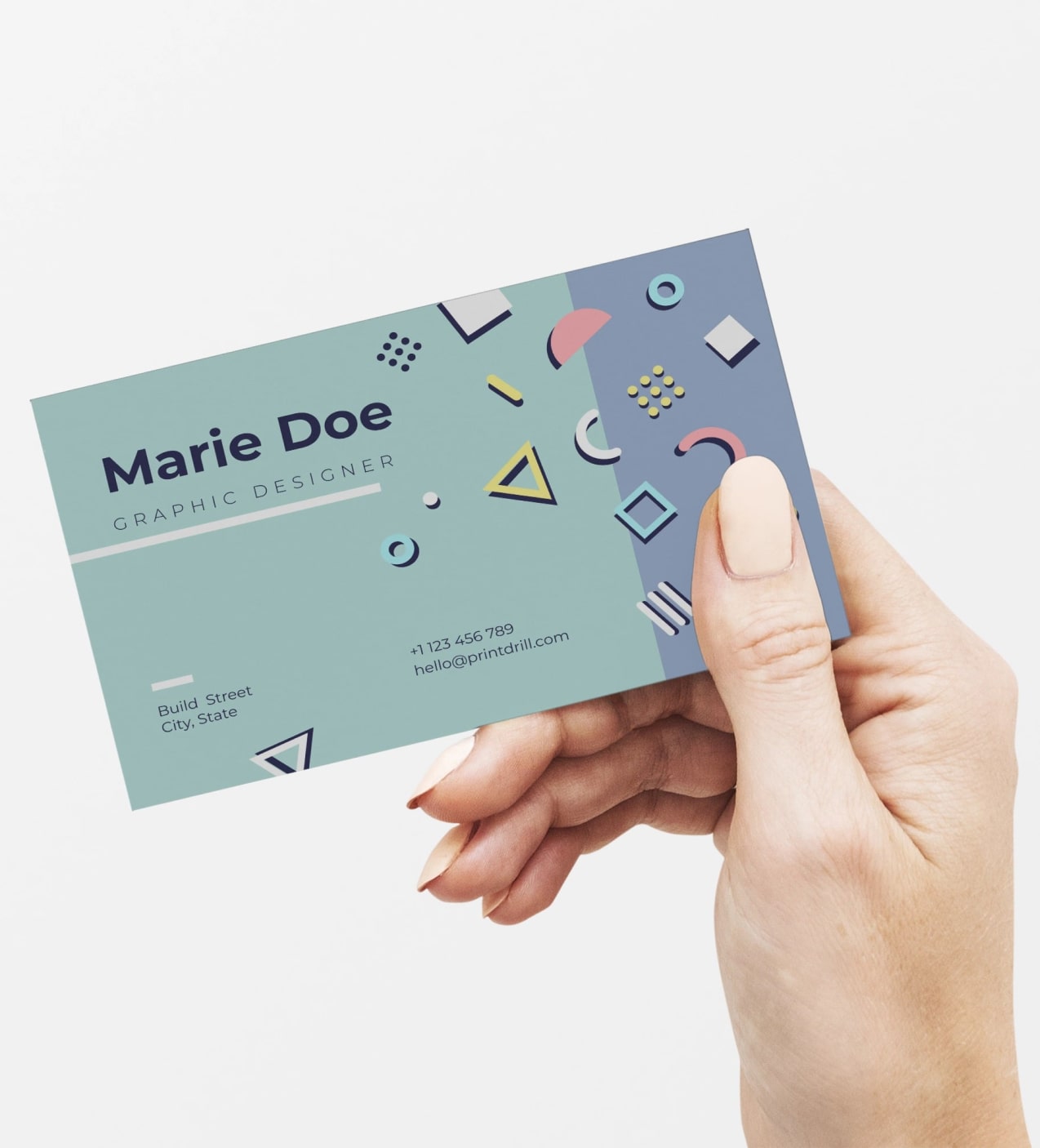
Modern startup cards tailored for tech founders, product teams, and growth-focused professionals. These custom business cards deliver a clean, minimalist presentation that supports tech company branding, digital networking, and in-person meetings. Choose designs that reflect a Silicon Valley style—clear typography, thoughtful white space, and options to emphasize QR codes or contact links—so your networking moments convert to meaningful connections.

Looking for general-purpose Business Card?

If you’re evaluating options, it’s worth exploring our standard version of the Custom Business Card here. View our main Business Cards page here.

Page title

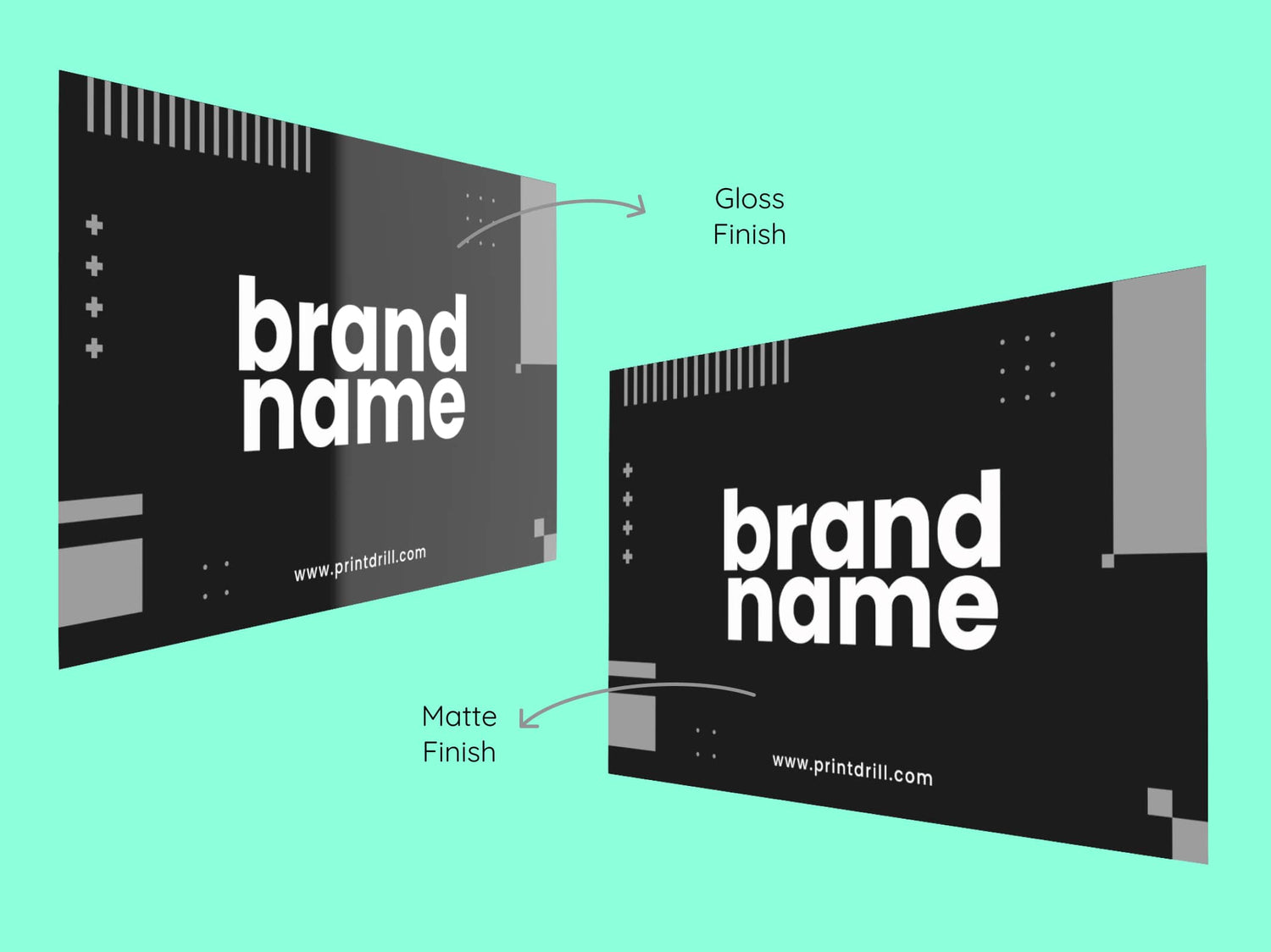
Gloss Finish Visiting Cards Vs Matte Finish Visiting Cards

Gloss Finish Vs Matte Finish

Color Vibrancy

  • Gloss: Enhances color vibrancy, perfect for photo-heavy designs.
  • Matte: Colors are softer and slightly muted, offering a subtle look.

Durability

  • Gloss: Highly durable, resistant to bending, folding, and moisture.
  • Matte: Less durable, more prone to bending and damage.

* Durability depends on the thickness (pt) of the card.

Readability

  • Gloss: Can cause glare under certain lighting, affecting readability.
  • Matte: Non-reflective surface ensures easy readability in all lighting.

Professional Look

  • Gloss: Shiny and eye-catching, but can be perceived as flashy.
  • Matte: Clean, modern, and professional look, ideal for formal use.

Fingerprint Visibility

  • Gloss: Prone to showing fingerprints and smudges.
  • Matte: Resistant to fingerprints and smudges.

Writing Surface

  • Gloss: Difficult to write on due to the smooth, coated surface.
  • Matte: Easy to write on with a pen or marker.

Protection

  • Gloss: Offers better protection from moisture and wear.
  • Matte: Colors may fade slightly over time, depending on the material quality.
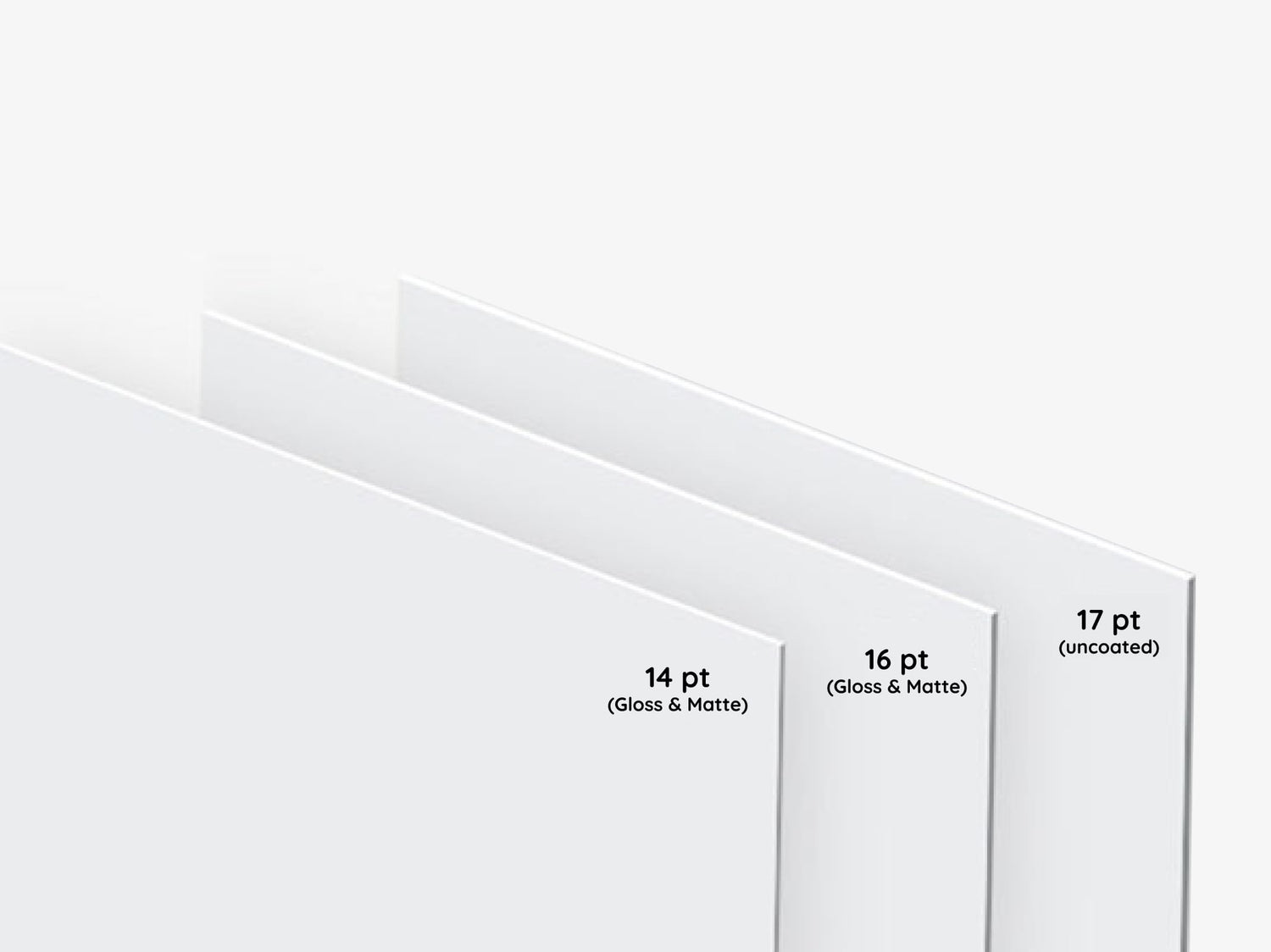
Business Card Paper Thickness

Choosing the Right Paper Thickness for Your Business Cards

14 pt Paper

  • Popular standard for business cards
  • Thinner and more flexible than 16 pt
  • Rigid enough to avoid bending or flopping
  • Affordable and great for mass distribution
  • Ideal for handing out large quantities at events

16 pt Paper

  • Slightly thicker and heavier than 14 pt
  • More durable, sturdy feel
  • Premium and substantial impression
  • Great for high-level meetings and impressing clients
  • Less likely to bend or crease

Uncoated 17 pt Paper

  • Heaviest of the three, with a luxurious feel
  • Uncoated surface, ideal for writing
  • Tactile, natural, or artisanal appearance
  • Best for brands aiming for a premium or unique aesthetic
  • More durable and thicker, lasting longer in use

Collapsible content

Premium Finish Business Cards

Product Specifications

Standard 14pt Gloss Finish:

  • Glossy finish enhances color vibrancy.
  • Sourced from sustainable materials.

Standard 14pt Matte Finish:

  • Non-reflective matte surface for a classic, elegant look.
  • Better writability compared to gloss.

Premium 16pt Gloss Finish:

  • Thicker, ultra-stiff cardstock with a high sheen for vivid colors.
  • Ideal for more premium, standout designs.

Premium 16pt Matte Finish:

  • Thick, durable cardstock with a smooth, professional matte finish.
  • Offers a more substantial, refined feel.

Premium Plus 17pt Uncoated:

  • Thickest option with a natural, uncoated texture for a luxurious touch.

How to Order?

Explore the most convenient way to order Signage and Print products online.

Step 1: Customize Your Product

Choose from material types, sizes, finishing options, and extras like lamination. Unsure? Our pre-selected options work for most needs, but feel free to adjust based on your preferences.

Step 2: Graphic Design Options

Upload your own design, use our templates, or let our designers create something for you based on your instructions.

Step 3: Upload Files Later (Optional)

If your design isn't ready, no worries! You can place your order now and upload the design later.

Step 4: Proofing & Approval

We provide free proofing to ensure everything looks perfect. You'll approve the final proof before production starts.

Question & Answers

FAQs for Business Cards for Tech Startups

Q: What makes these business cards suitable for tech startups?

A: The design focus and customization options support minimalist tech cards and tech company branding, allowing startups to present a clear, professional identity that facilitates digital networking and quick follow-ups.

Q: Can I include a QR code or short URL on the card?

A: Yes. Cards can be designed to include a scannable QR code or short link to direct recipients to a demo, contact page, or scheduling tool—helpful for converting in-person encounters into digital engagement.

Q: Are front-and-back printing options available?

A: The product supports customizable layouts that allow you to plan content on both sides of the card; one side can feature branding while the other presents contact or digital access details.

Q: How should we format names and roles for a team order?

A: Use consistent formatting across all cards—standardize capitalization and role descriptions—so your team presents a unified brand identity. Preparing a single spreadsheet with names, titles, and contact details helps streamline production.

Q: What file types and design guidelines are recommended?

A: Print-ready artwork and templates are provided to help you set up files correctly. Follow the available guidelines for safe areas and bleed to ensure crucial content isn't trimmed during finishing.

Q: Can we match the cards to our existing brand colors?

A: Yes. Customization options allow you to apply your brand palette and typography so the cards align with your broader visual identity.

Q: How many designs or names can we order at once?

A: The ordering process supports multiple names and consistent templates, enabling teams to place single or group orders while maintaining brand alignment. Check the main product page for ordering options.

Q: Are there templates or design help for a Silicon Valley style look?

A: Templates and guidance geared toward minimalist, modern layouts are available to help you achieve a clean, professional aesthetic typical of Silicon Valley style cards.

Q: What should we consider for readability under low-light conditions?

A: Favor higher contrast between text and background, and avoid very light text on a light background. Clear typography and sufficient font size improve legibility in quick exchanges.

Q: Can these cards be used at large events and conferences?

A: Yes. Their minimalist, professional presentation is well suited for conferences, meetups, and demo days where quick readability and brand consistency matter.

Q: How do business cards support recruitment efforts?

A: Recruiters can use cards to provide direct access to job listings, application links, or recruiter contact details, making it easier for potential candidates to take the next step after a brief conversation.

Q: What should we include on a card to maximize follow-ups?

A: Include one clear action—such as a QR code to a demo or a short URL to schedule time—alongside concise contact details and your role to make it simple for recipients to respond.

Collapsible content

More info on Business Cards for Tech Startups

Why these business cards work for Tech Startups

For tech startups, a business card is an efficient bridge between brief introductions and ongoing digital connections. These cards are designed to complement product demos, investor meetings, and recruitment touchpoints by prioritizing clean design, legible information, and compatibility with digital networking habits. The result is a physical asset that supports your brand voice without distracting from your message.

Key benefits for startup teams

  • Professional first impression: Present a cohesive, minimalist tech cards aesthetic that reinforces credibility during investor pitches and partner introductions.
  • Efficient digital handoff: Design space for QR codes, micro-links, or concise contact details to speed transitions from face-to-face meetings to online follow-ups.
  • Brand consistency: Customizable layout and color options help align each card with your tech company branding and visual identity.
  • Memorable simplicity: A restrained, Silicon Valley style approach helps your card stand out without overwhelming recipients—ideal for crowded networking events.
  • Team-scalable: Order cards for founders, sales, engineering, and recruiting to ensure consistent presentation across touchpoints.

How startups typically use these cards

Startups use business cards in a variety of practical scenarios—from demo day exchanges and accelerator events to client meetings and conference booth traffic. Cards are often distributed by founders at investor meetings, by product managers during user interviews, and by recruiters at hiring events. They serve both as a tangible reminder and as a quick pathway to online profiles, product pages, or scheduling links.

Design and customization options (what you can control)

Customize the visual elements that matter for tech company branding: logo placement, typography, color palettes, and the layout of contact details. Many tech teams favor minimalist tech cards with generous white space, bold headings for name and role, and a clear area reserved for a QR code or short URL. Front-and-back printing provides space to highlight a mission line, product tagline, or a link to a demo.

If you want to emphasize digital networking, consider reserving one side for a scannable code or concise call-to-action. Whether you prefer full-bleed color or restrained monochrome, the design choices should reflect your startup’s tone—innovative, approachable, or highly technical.

Ideal real-world use cases for Tech Startups

  • Investor meetings: Leave behind a polished card that points investors to your executive summary or demo video.
  • Conferences & meetups: Hand out minimalist tech cards to convert casual conversations into follow-ups and trial signups.
  • On-campus recruiting: Provide consistent, branded cards to campus ambassadors and recruiters during job fairs.
  • Customer discovery: Use cards during user interviews to make it easy for participants to book follow-ups or access prototypes.
  • Strategic partnership meetings: Exchange cards that clearly show role and contact method for smoother business development conversations.

Environmental and usage considerations

Business cards are intended for everyday networking environments—conference halls, co-working spaces, coffee meetings, and office receptions. They perform best when kept in cardholders or wallets to maintain edge quality and printed clarity. Consider how cards will be handled and stored: designs that rely on subtle textures or light inks may be less visible under low-light conditions, while bold contrast improves legibility during quick exchanges.

Preparation tips for tech teams

To maximize impact, keep text concise and prioritize the most relevant contact method—email, direct link, or a QR code leading to a single landing page. Use a legible type size for names and titles and reserve one side for a visual element (logo or tagline) so contact details remain uncluttered. Coordinate across the team to ensure consistent name formatting and role descriptions for a unified brand presence.

Production and ordering guidance

This product supports custom business cards intended for professional use. When preparing artwork, follow recommended safe-area and bleed practices to ensure text and critical elements are not trimmed. Templates and artwork guidelines are available on the main product page to help teams create print-ready files. If you’re coordinating a group order, prepare a roster of names and titles and align on a single template to keep branding consistent.

Integrating cards into digital networking workflows

Business cards complement a digital-first approach: include a QR code linking to a contact card, scheduling tool, or product demo to turn an in-person exchange into an immediate online interaction. This hybrid method—physical card plus digital destination—helps startups capture interest at scale while directing recipients to the next action you want them to take.

Key benefits summary (quick reference)

  • Clean, modern presentation — Reinforces a professional startup image during high-stakes meetings.
  • Supports digital handoffs — Design options make it easy to route contacts online.
  • Scalable across teams — Order multiple names while preserving brand consistency.
  • Versatile for events — Effective at conferences, investor demo days, and recruitment drives.
  • Brandable and practical — Simple customization helps your card match brand identity and use cases.

Buying confidence and practical value

For tech startups, business cards are a practical, low-friction tool that enhances networking and brand recognition. When designed with a minimalist tech cards mindset, they integrate smoothly into digital-first workflows and help transform brief meetings into measurable leads. By aligning card design with company branding and prioritizing clear calls to action, you create a durable asset that supports hiring, fundraising, and partnership efforts throughout growth stages.

Looking for our standard options? View our main Business Cards page here.